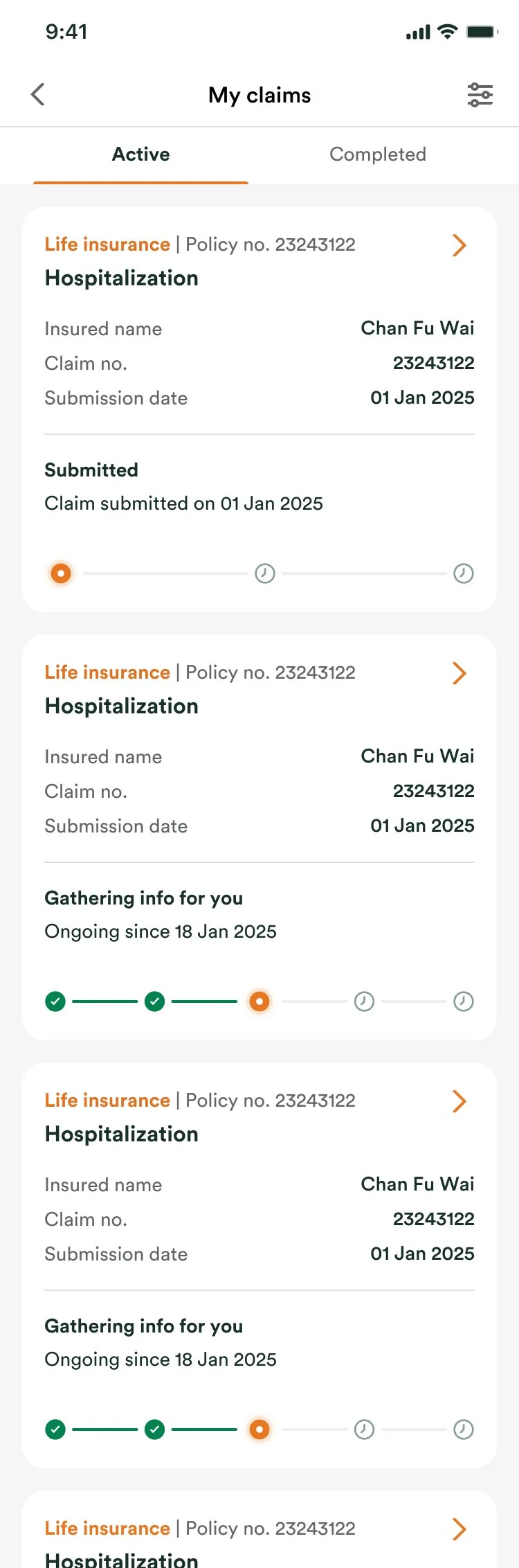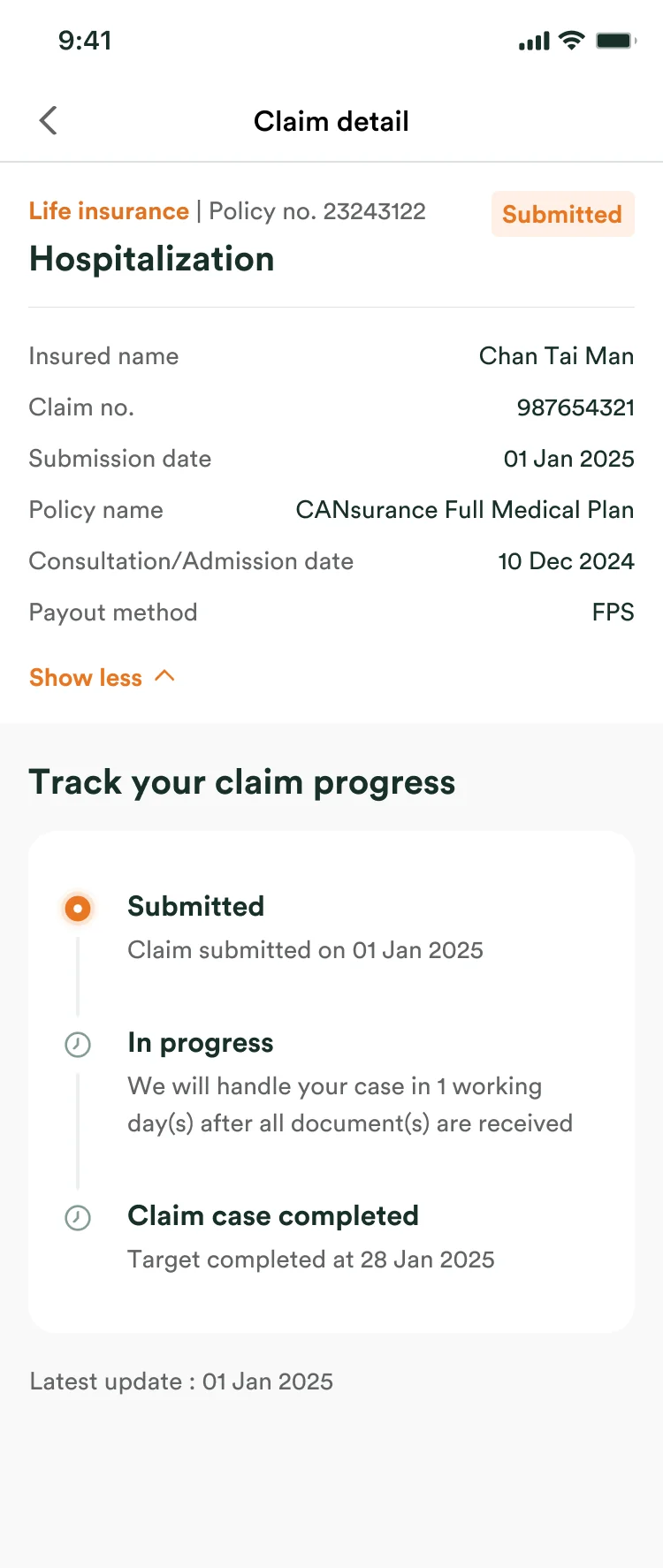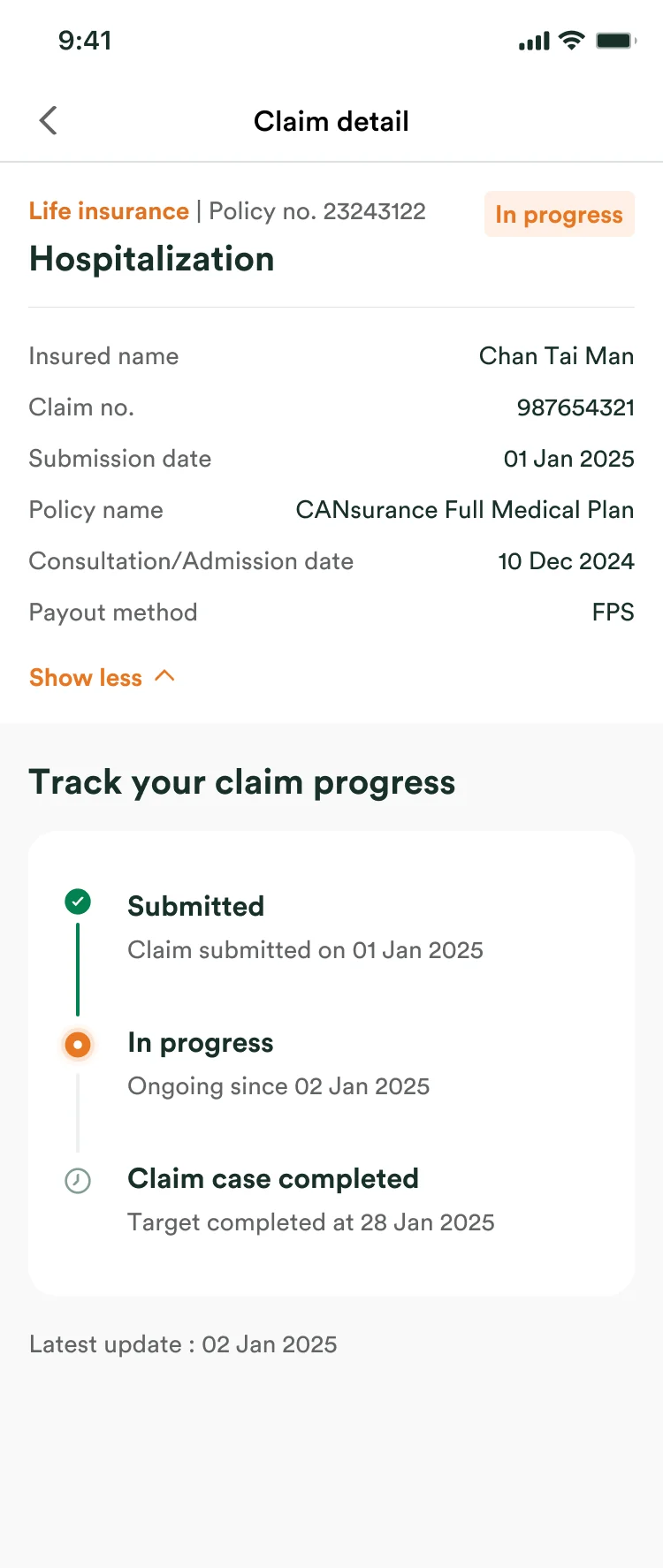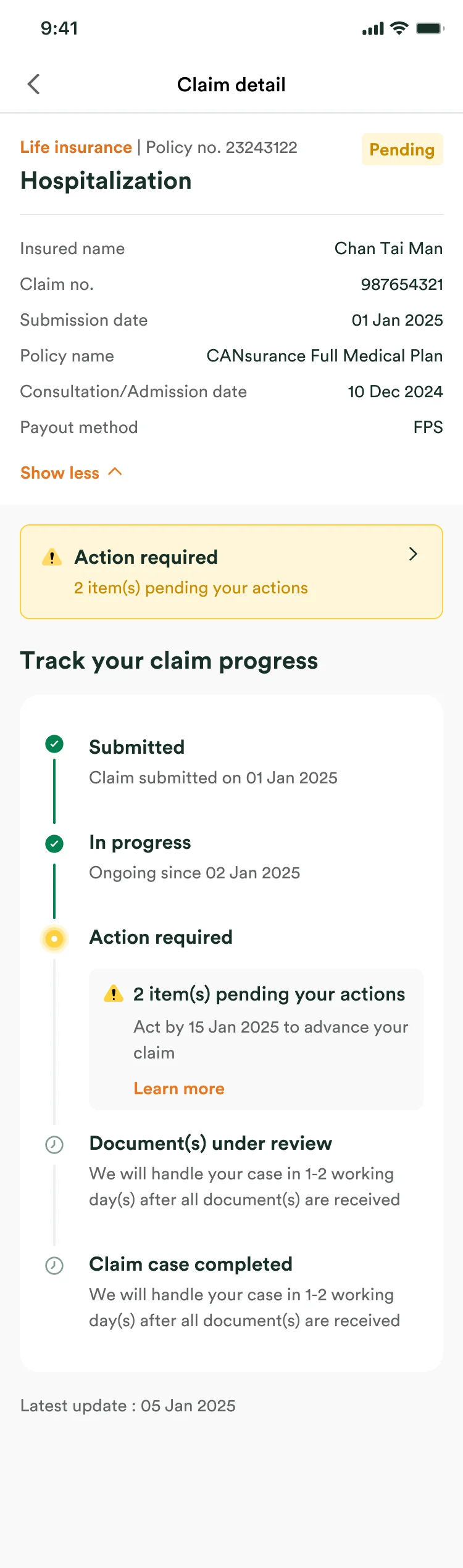
Auto-Fill Parcel Details

- Timeline
- 3 months
- Role
- Product Designer
- Team
- Product manager
Developers
Data analytics - Tools
- Figma, Claude Code
TL;DR
To declare a parcel, users typed in every item by hand. Around 55% of users leave the product URL empty, yet it is the one field that says what they bought. So I made the link the way in: paste it, and the item details fill themselves.
- ↑39.1%
- URL capture rate, up from 31.1%
- →81.3%
- Completion rate, unchanged
- ↑90%
- Smart Fill users who stayed with it
Solution
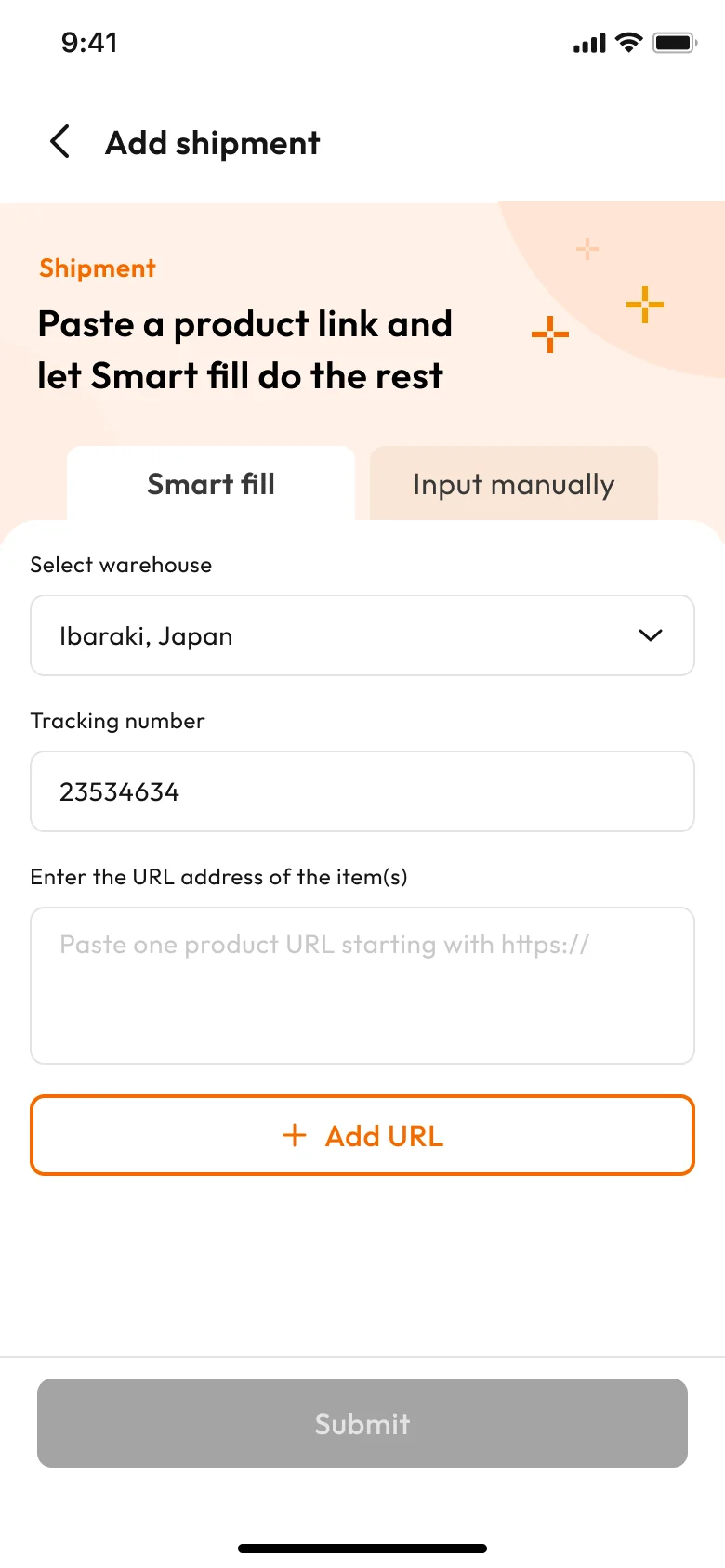
Two ways to declare. First-time users start on the fast one; returning users start on the one they used last.
AI Auto flow
Paste the product URL. AI reads the page and fills in the item name, category, unit price and quantity.
Manual flow
The old way, kept as an equal tab. For anyone who prefers typing, or whose link cannot be read. Both flows end on the same review page.
Overview
Buy&Ship helps people shop overseas and ship home.
Proxy buying and parcel forwarding across 10+ regions, for over 1.8M members. Monthly active users peak above 900K.

Problem
The product link matters most, and the form gives users no reason to fill it.
55%of users leave the product URL empty
The URL field is optional and the form is long, so it is the first thing users skip.
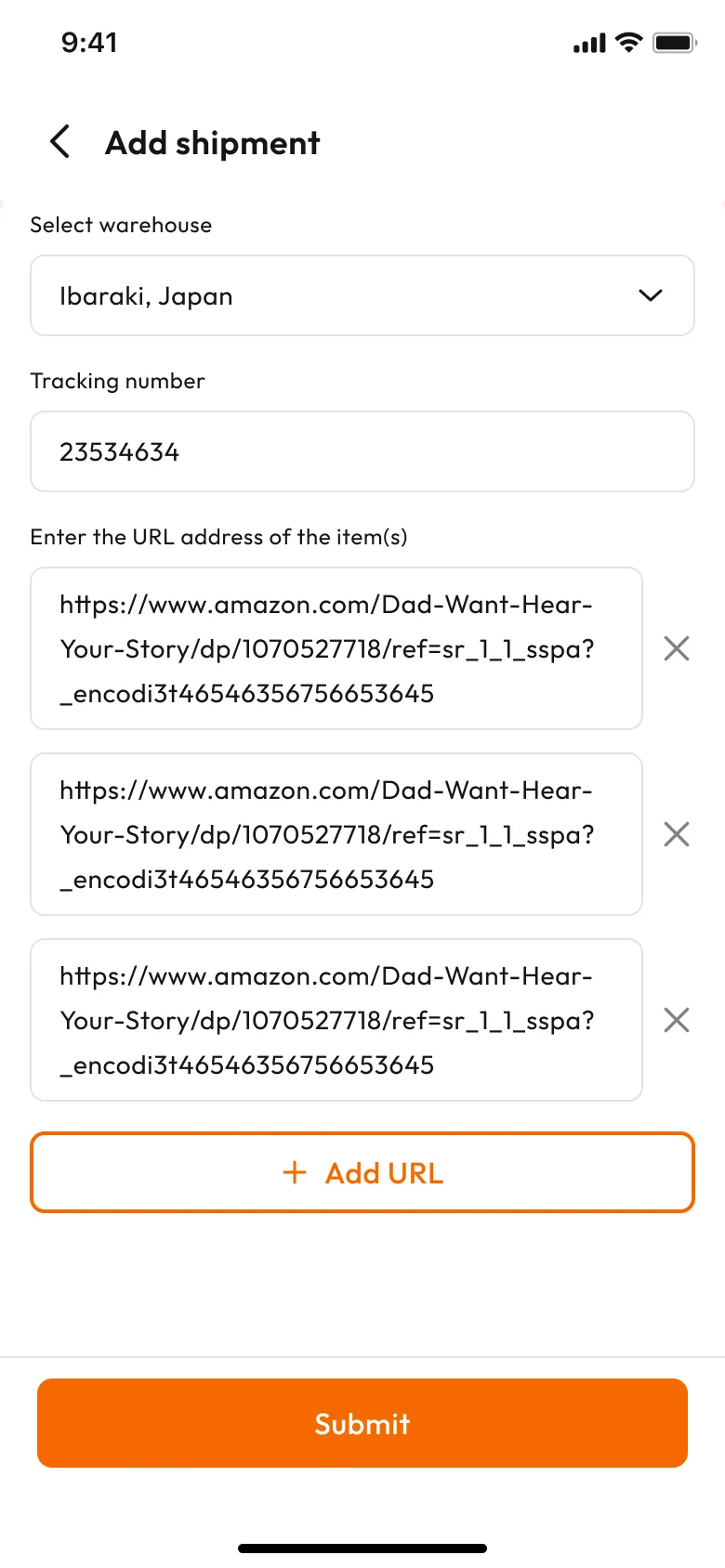
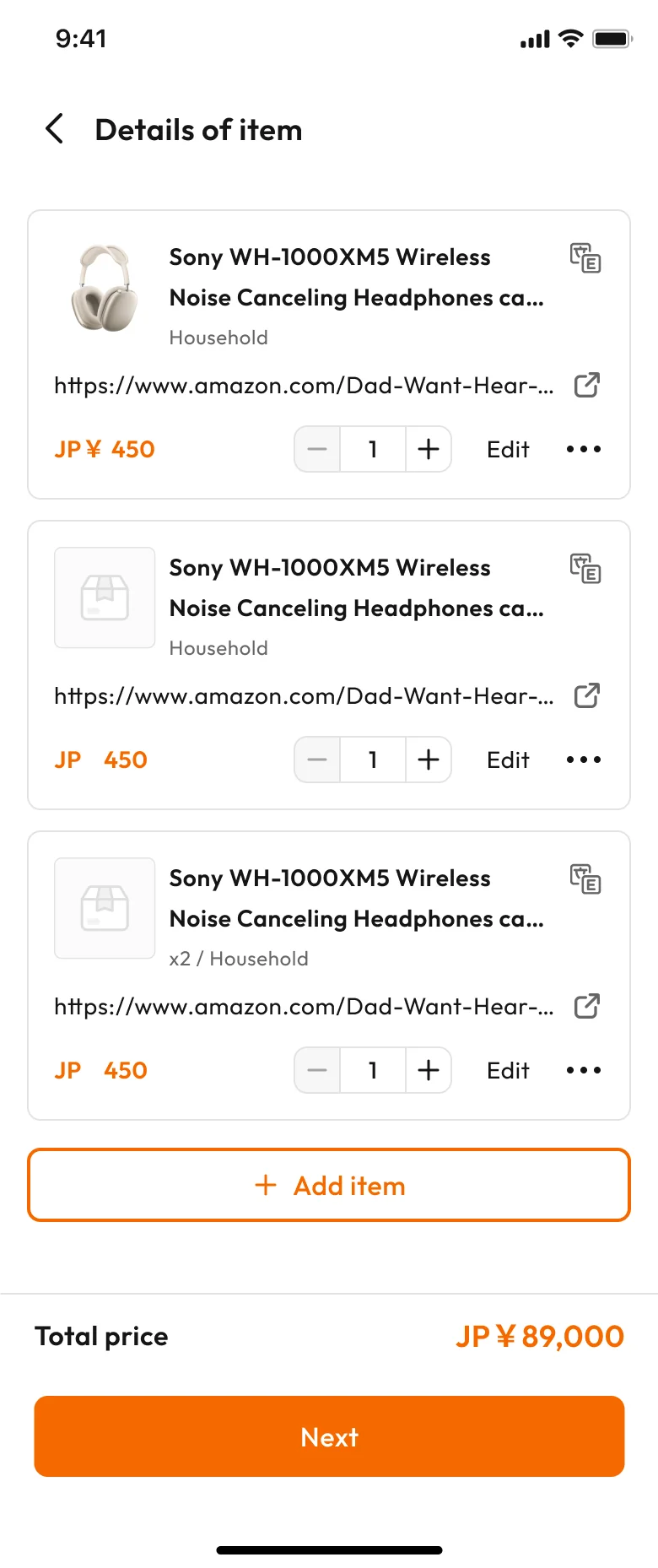
I walked both screens of the old flow, field by field, to see where the link gets lost.
Screen 1: Add shipment
-
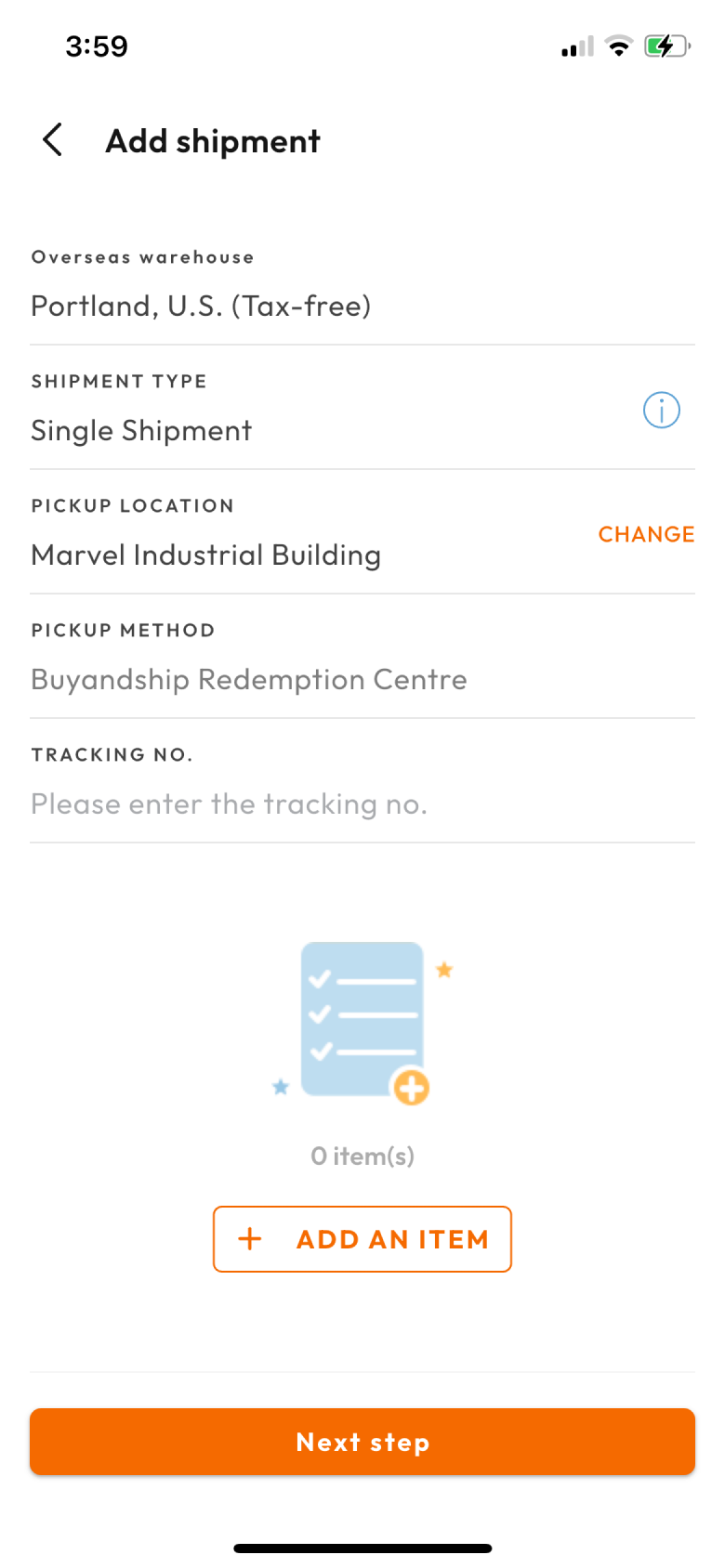
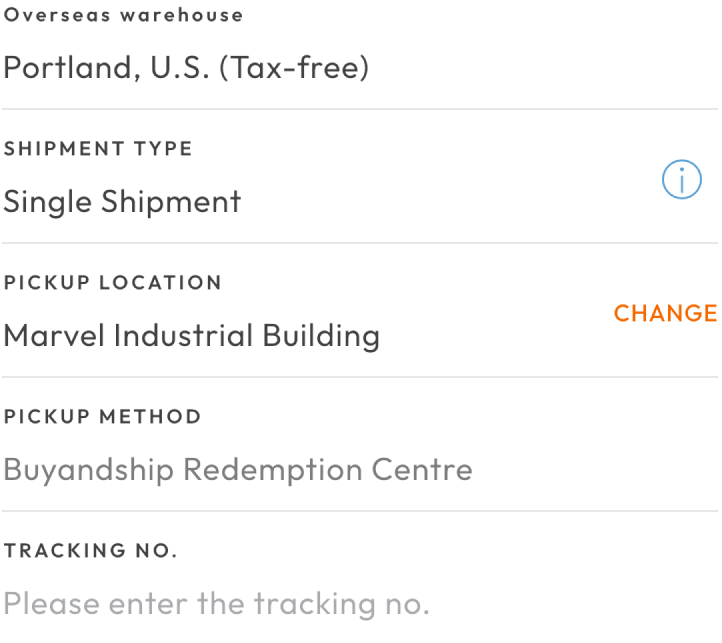 Five fields before the first item
Warehouse, shipment type, pickup location, pickup method, tracking number. All before a single item.
-
 Items go in one at a time
No batch add. A three item parcel means filling the item form three times.
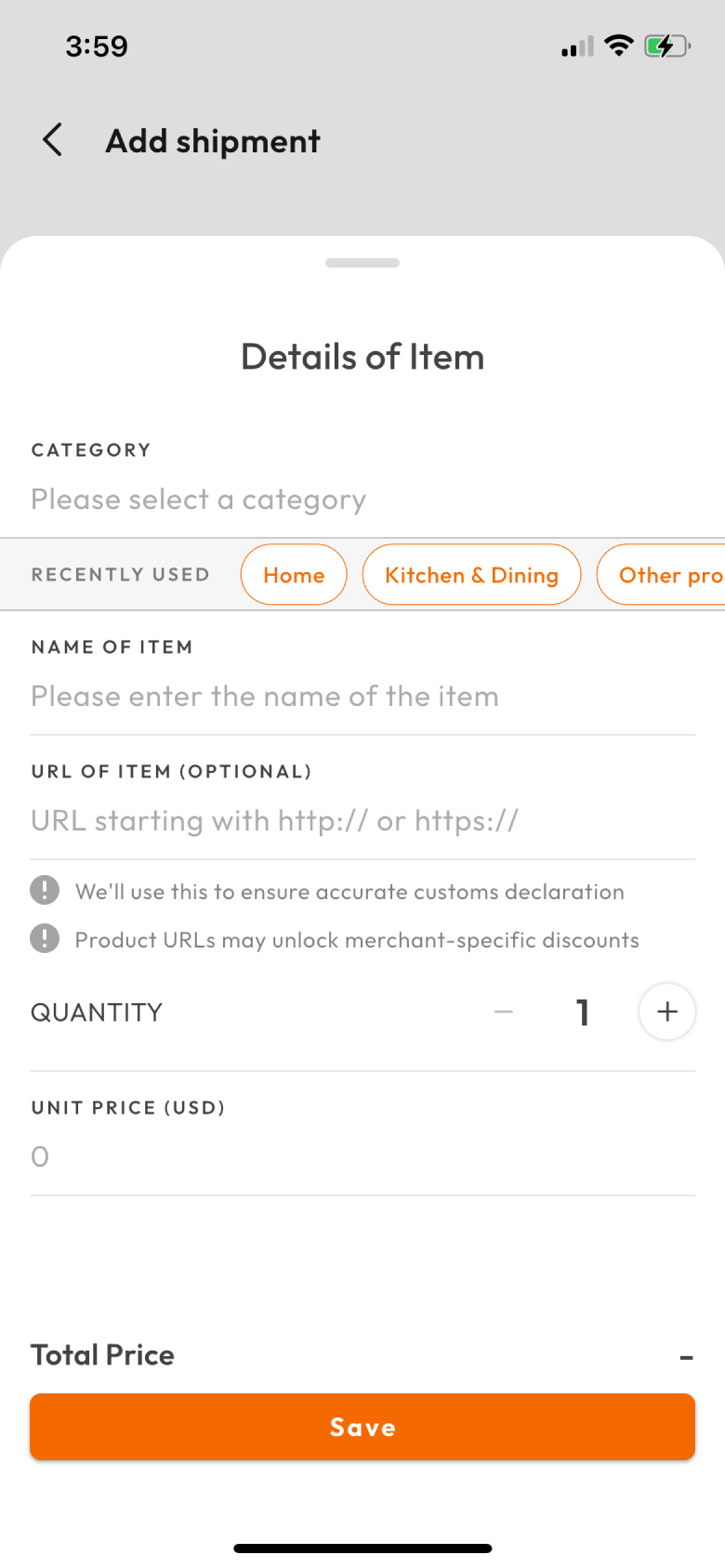
Screen 2: Details of Item
-
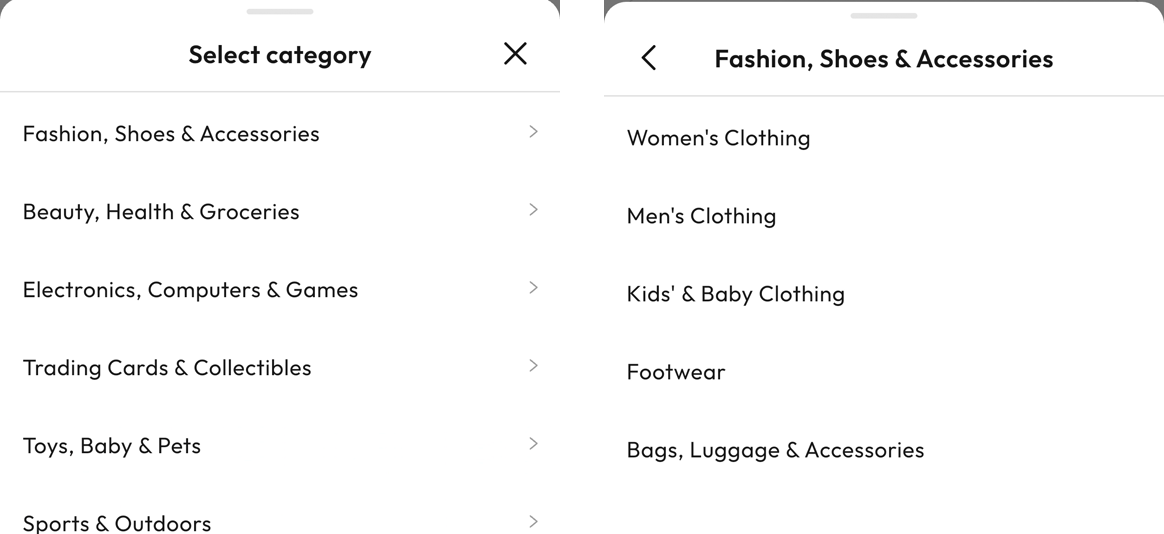 Category is two screens deep
Pick a group, then a sub category inside it. No search, no typing.
-
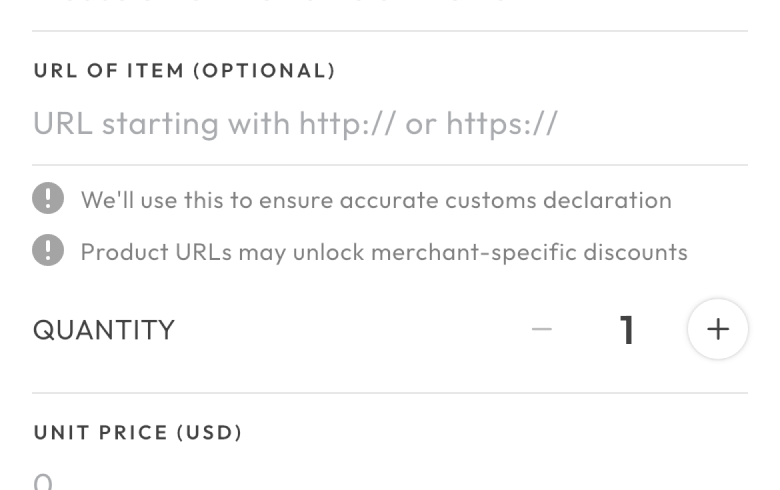
 URL OF ITEM (OPTIONAL)
The field the business needs most is the only one marked optional.
So the business loses the product data it needs most.
Goals
A URL-first flow that fills in the product details for the user.

Direction
Making the URL required would only add work. The link had to give users something back.
The idea: users paste the link to what they bought, and AI reads the page. Every merchant has a product page.
- Item name
- Category
- Unit price
- Quantity
- Variant
Users already have the link: in the order email, the order history, or a tab still open. The other five they have to type.
The URL stopped being a sixth field to fill. It became the field that fills the other five.
Validation
Testing showed manual entry could not be a small link.
I built a working prototype with Claude Code. It had Smart fill only; manual entry was a small link. Fifteen users tested it.
- Long-time users went straight to manual. They looked for the form they knew.
- The way to manual was too subtle. Some users missed it.
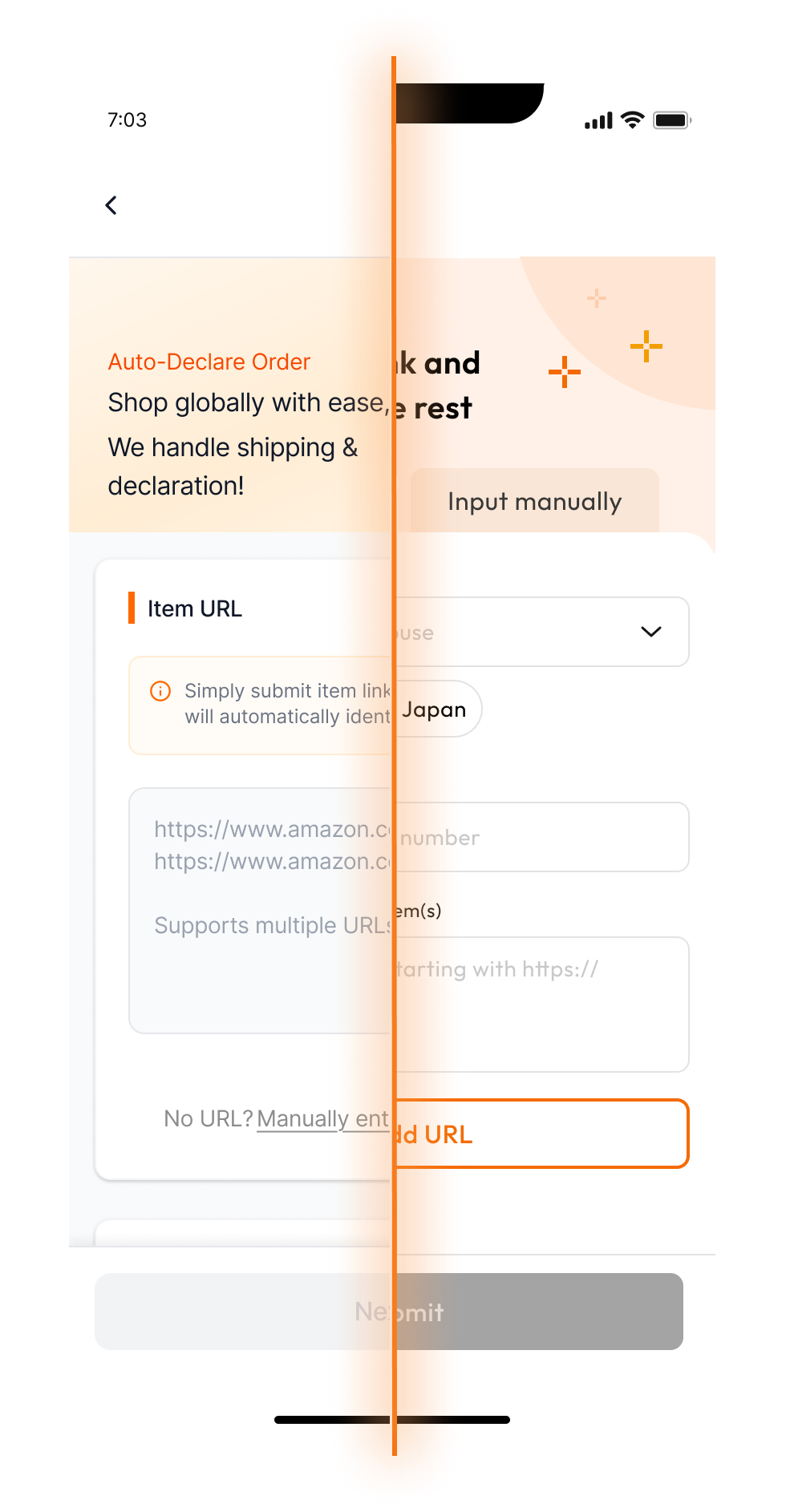
So manual became a full tab. First-time users open on Smart fill; returning users open on the tab they used last.
Design process
The fast path is the default for new users. The slow one stays one tap away.
Every decision had to pass one test: if AI is wrong or slow, can the user still finish?
Old vs new: the same Add shipment page.
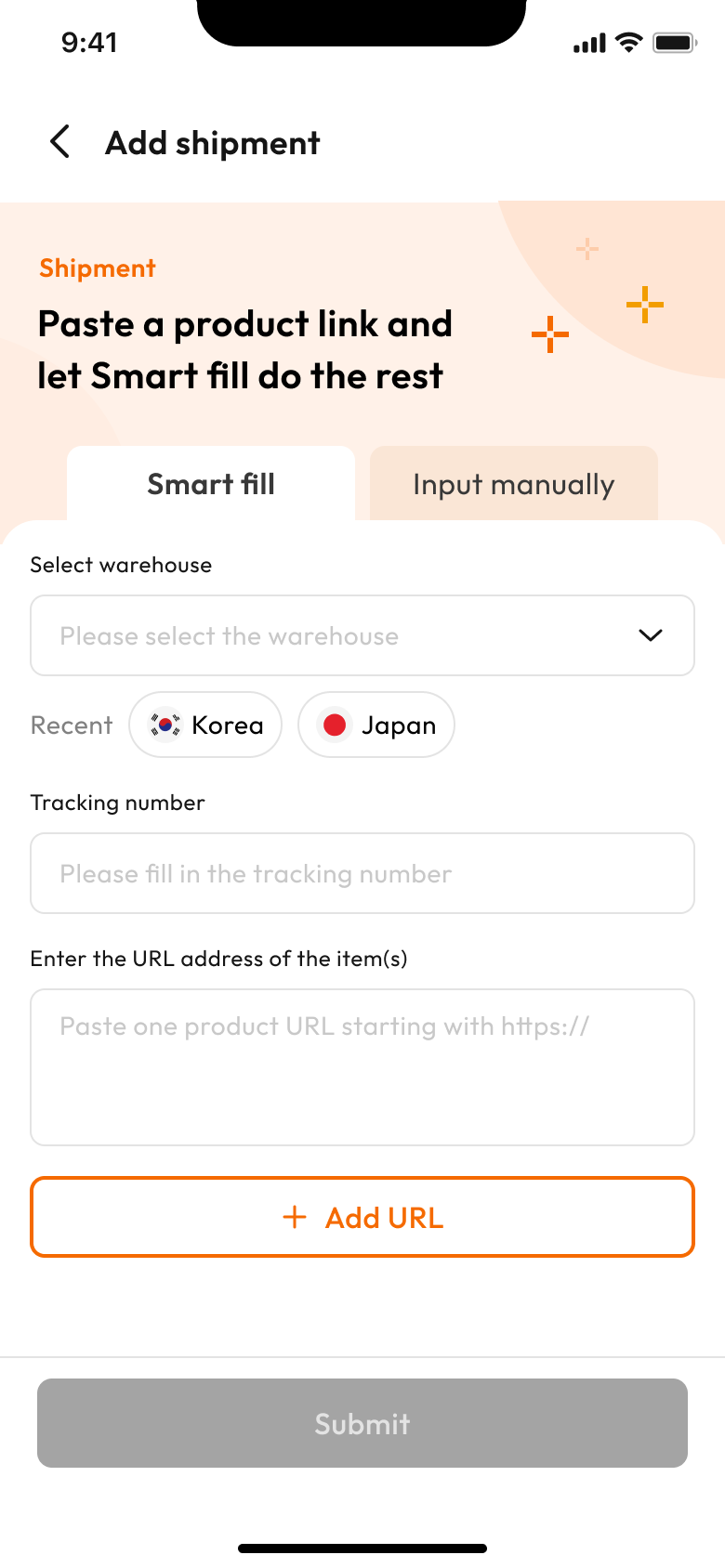
The shipment fields stay as they were. What changed is the items: users check them instead of typing them.
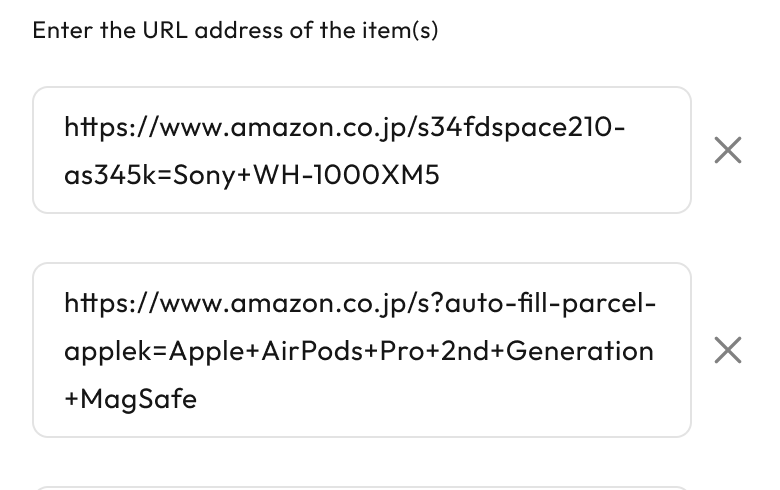
Paste several links at once
Each link becomes an item. Three items, three pastes.
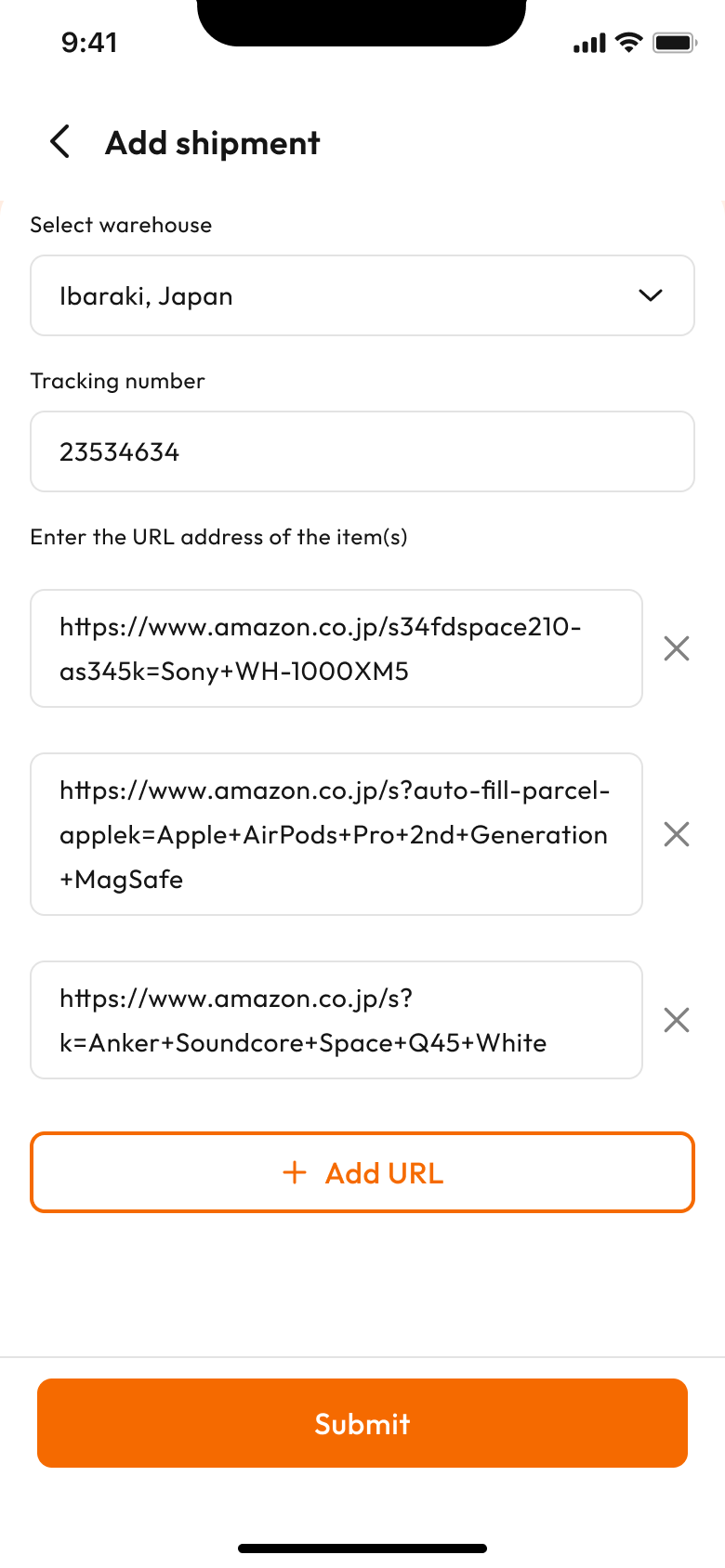
Category comes back filled in
AI returns name, category, price and quantity on the same card the manual flow uses. Nothing new to learn.
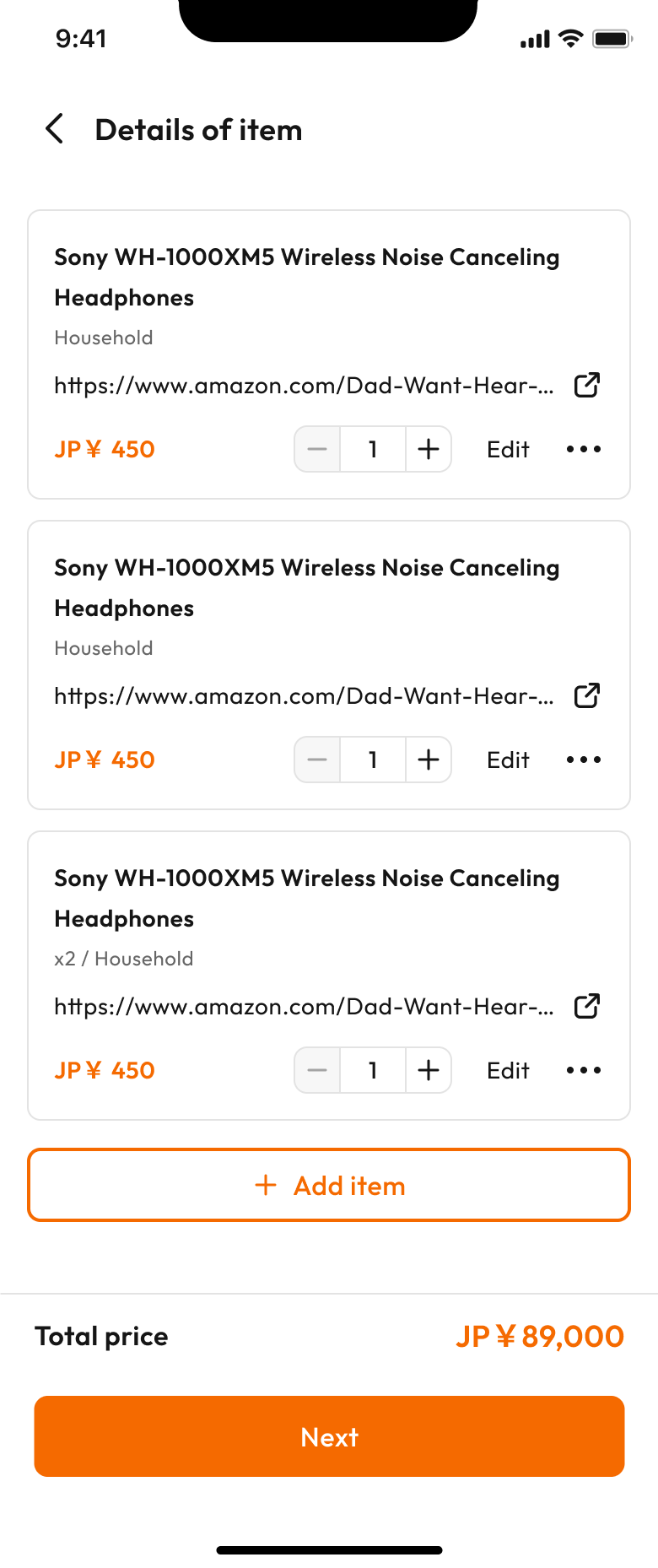
Clear recovery when a link can't be read
Some links return only part of an item. Instead of blocking the parcel, the card marks the fields still missing and gives two ways forward: add the details by hand, or remove the item. The rest of the shipment carries on.
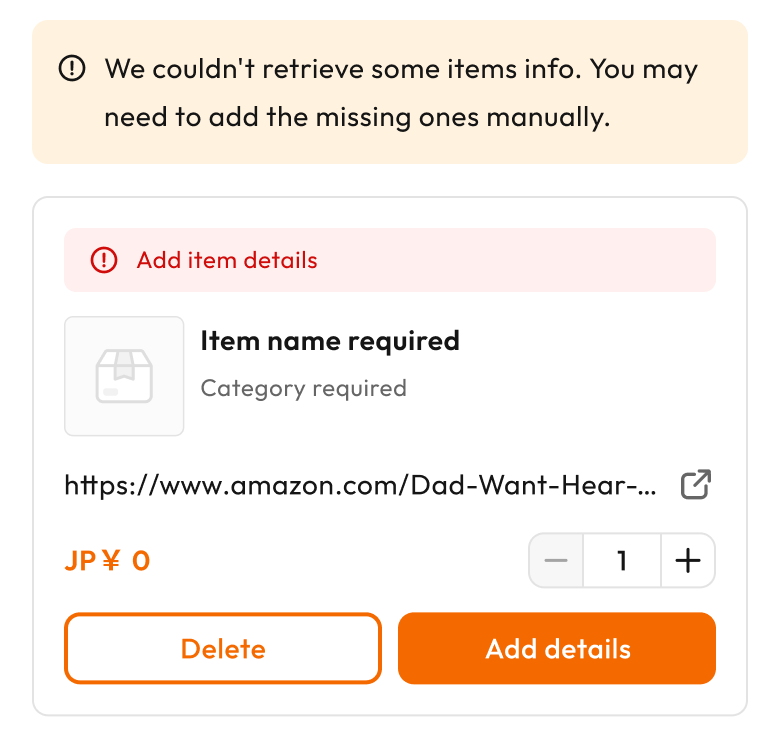
The link stays to the end
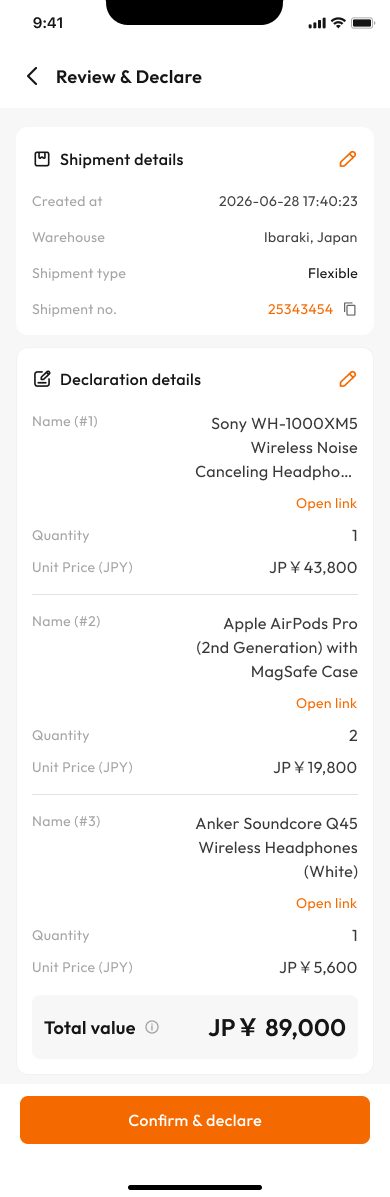
Each item keeps an Open link on the review page. Unsure about a price? The shop page is one tap away.
Challenges
At 92% accuracy, AI could only draft. The user still decides.
AI accuracy started low
Category accuracy rose from 51.7% to 92% after tuning. Good enough to ship, not good enough to trust blind.
Turn typing into checking
AI fills every field as a draft. Users check each item before they submit.
79.6% of Smart Fill results were right, or one or two fixes away.
AI could be slow
Each link is a round trip to a model. Some take long, and some return only part of the item.
Stop at 4s, then say what is missing
Users get whatever came back, and each card names the fields it still needs (step 3 above).
Launch
Singapore first, then Hong Kong.
Every member declares, and long-time users know the old form well. Singapore is much smaller than Hong Kong, so it went there first to keep any problem small. Once the numbers held, it went to Hong Kong.
The A/B test ran for four weeks in March and April 2026, on iOS and Android, with about 87,000 users split 50/50.
Every market improved. The smallest gain was Singapore at +5.2pp, the largest the Philippines at +10.9pp. All were statistically significant.
Outcome
More links captured, and declaring got no slower.
- ↑8pp
- URL capture rate
- →81.3%
- Completion rate, unchanged
- ↑68%
- Smart Fill users who felt faster
 Before
 After
Why didn't more users try it? Habit, not quality.
25.2% of the test group used Smart Fill, and 90% of them stayed with it. 55% of users who saw it never tried it, and went straight to manual.
In-app survey, 10,085 responses from 21 April 2026. 68.4% of Smart Fill users said it felt faster than before; 29.6% of manual users said the same.
Looking ahead
Smart Fill opens on the tab each user used last. So manual users keep landing on manual, and rarely see Smart Fill again.
- Get manual users to try Smart Fill once.
- Give the 20% with no link another way in.