Policy Value Withdrawal

- Role
- Product Designer
- Tools
- Figma
TL;DR
Taking money out of an FWD policy meant finding the right request in a long list of policy services, ticking value types without seeing what was available, then reading five screens of declarations. I redesigned it as an eWallet flow in five steps: see the maximum for each value, split the money between paying premiums and a payout, and reuse a saved account.
- 5
- Steps, start to submit
- 4
- Payout methods in one flow
- 5
- Blocked cases, each with its own message
Problem
Withdrawal was one checkbox in a generic service form.
In the existing app it sat under Apply policy services, inside a five-step Policy Enquiry form shared with every other request. Three things went wrong, and each one got a fix.
Buried in a list of services
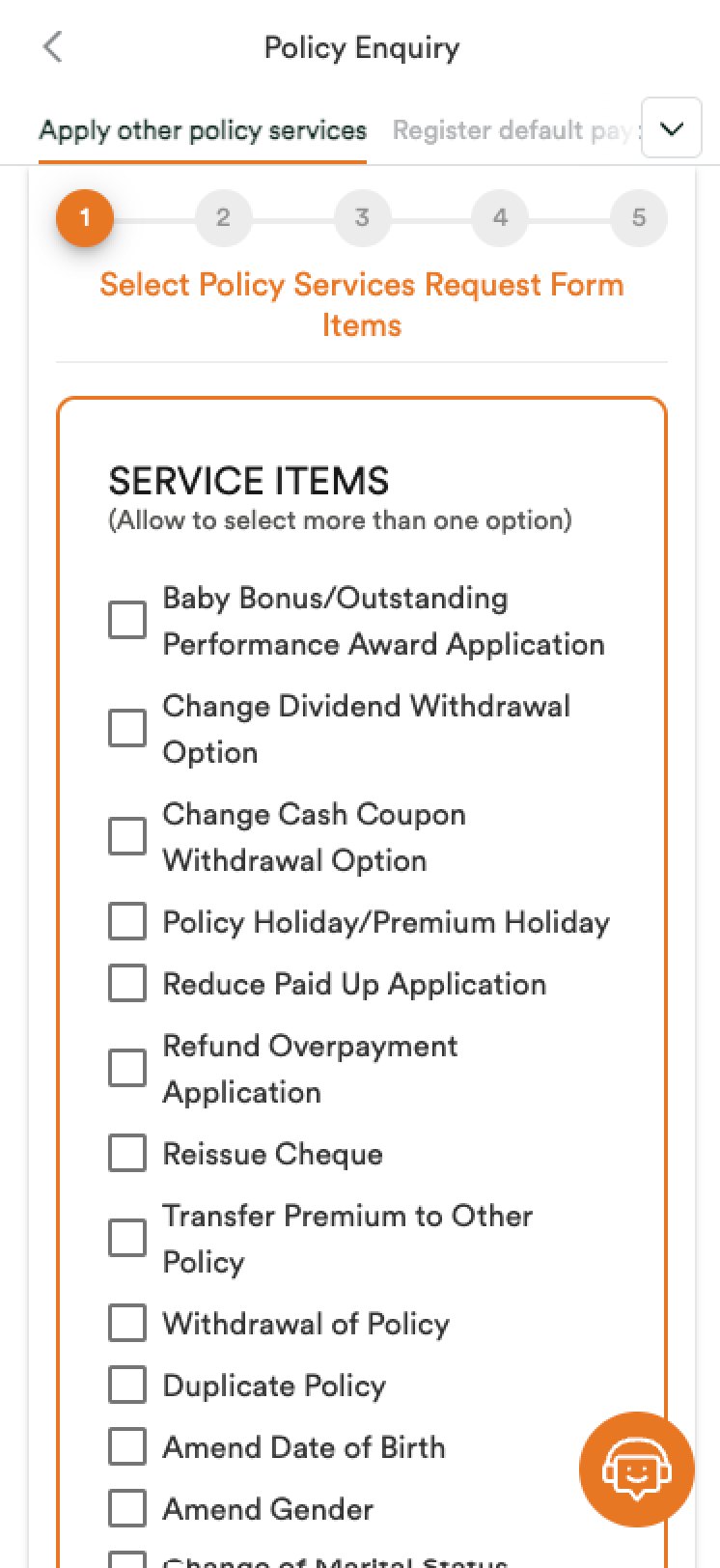 Before
Withdrawal was one checkbox in a long list of service items.
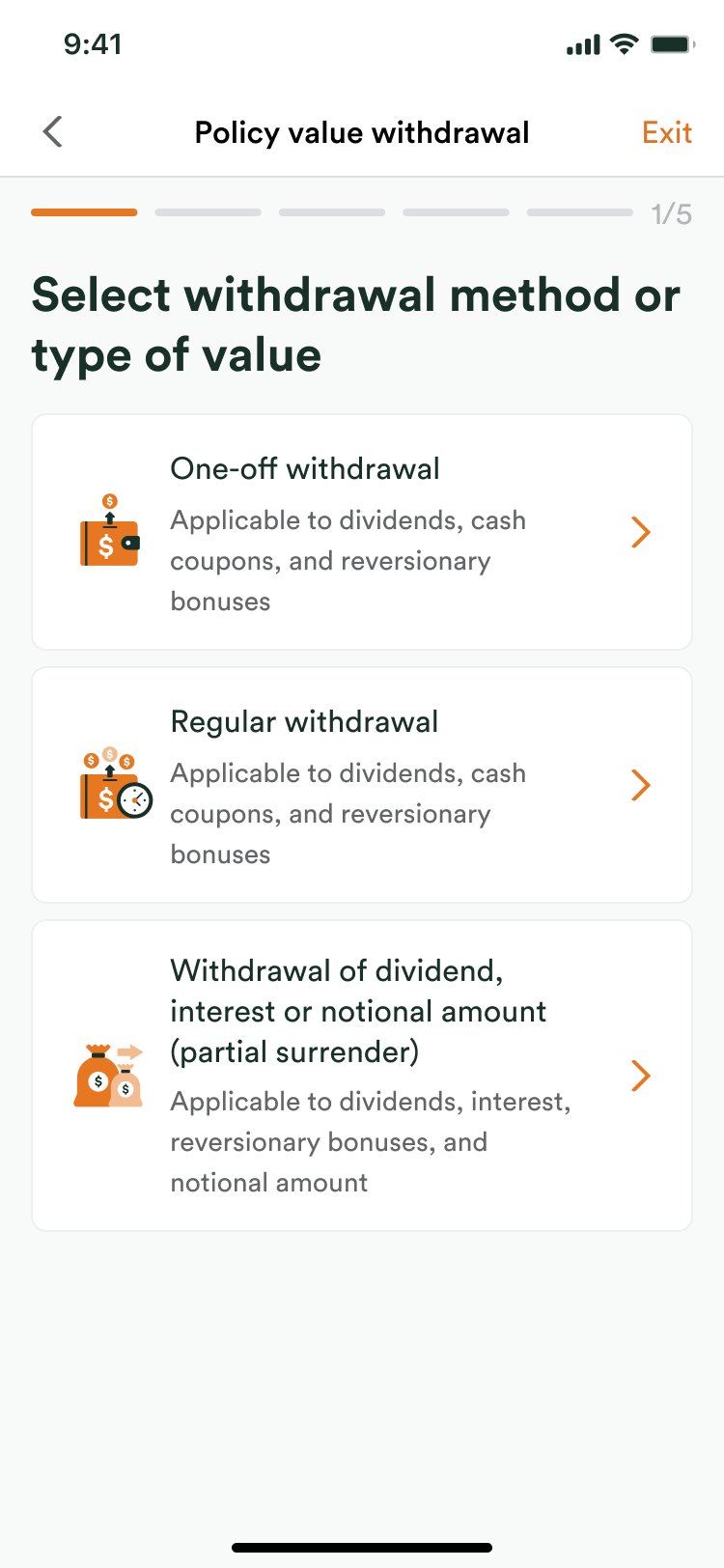 After
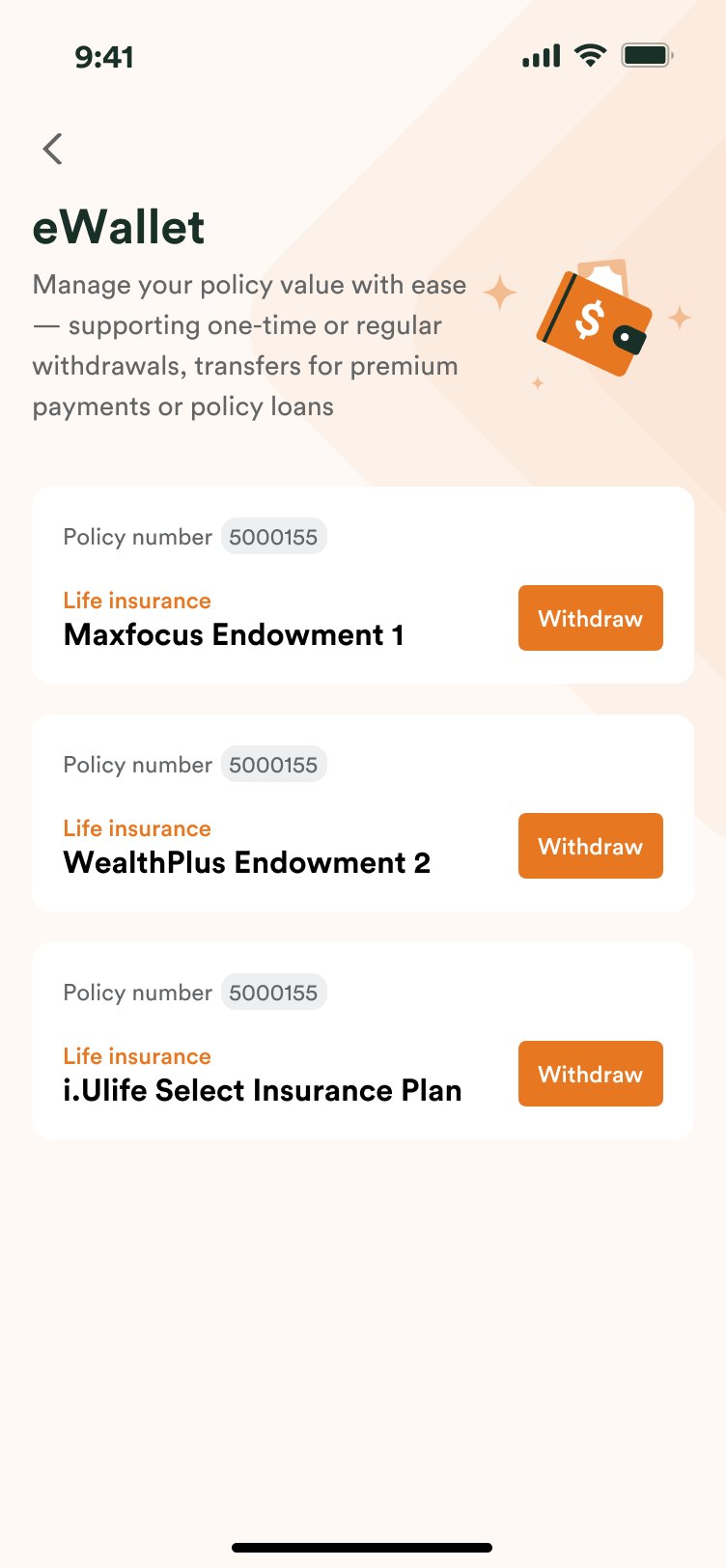
Each policy has its own Withdraw button, and step one asks only how to withdraw.
Choosing values without seeing them
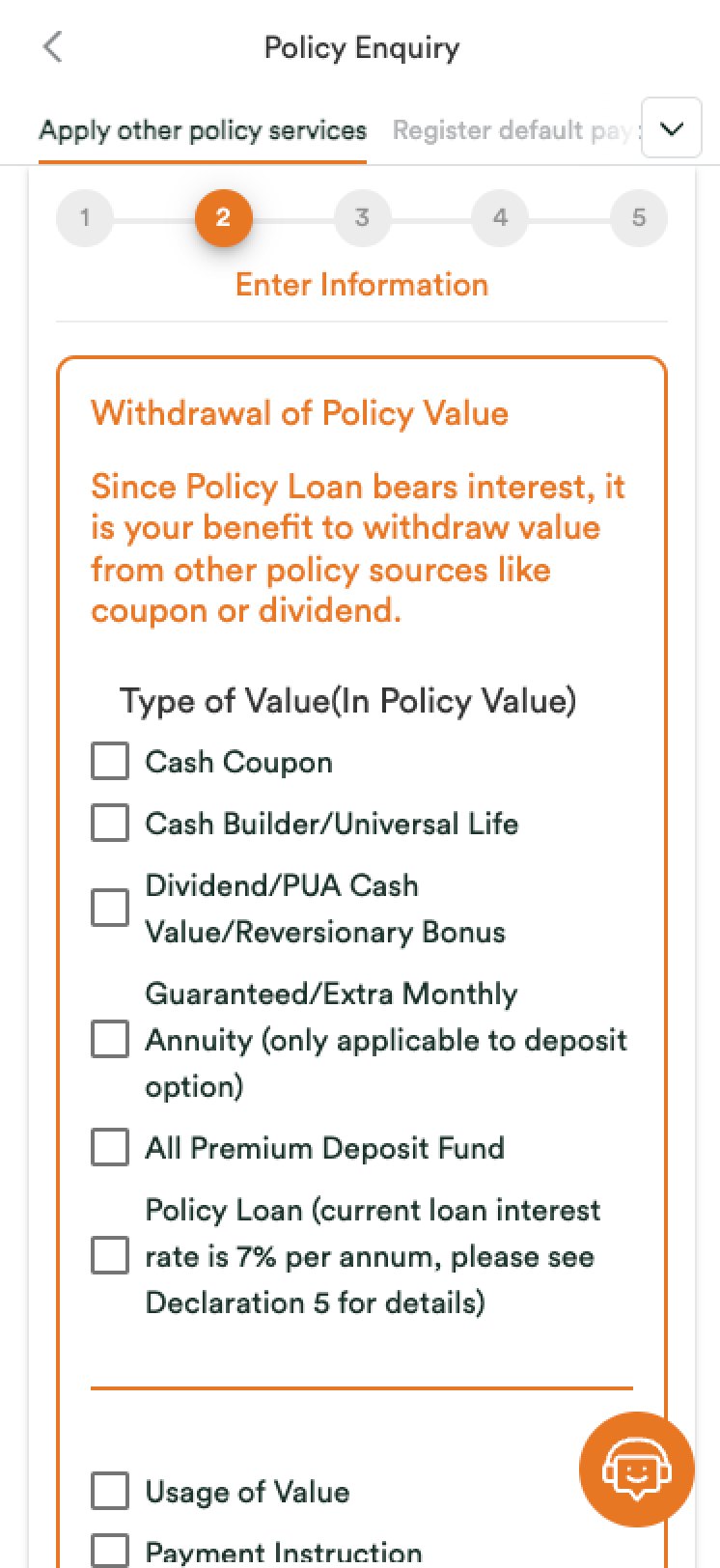 Before
Value types were checkboxes, with no amount to say what was there to take.
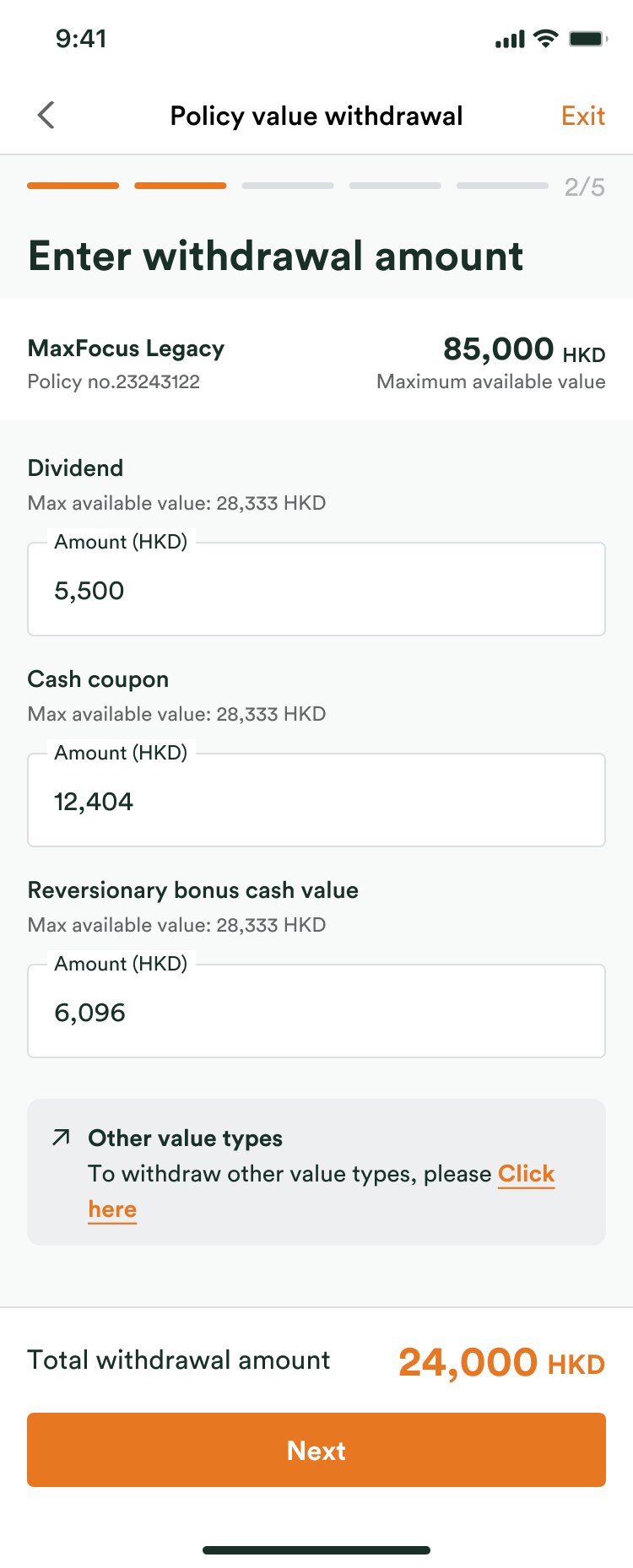 After
Every value shows its maximum, and the total sits beside Next.
Five screens of declarations
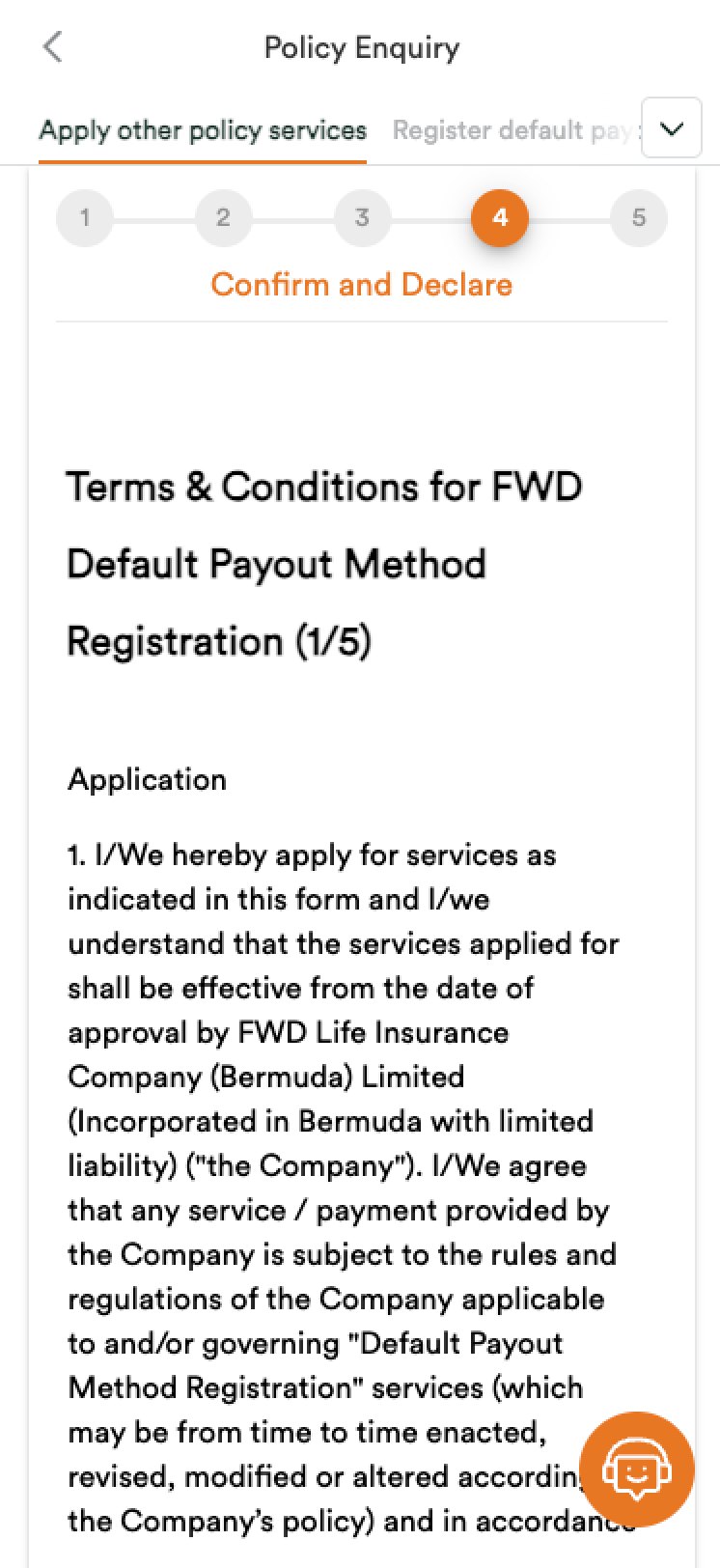 Before
Confirm and Declare ran to five screens of legal text.
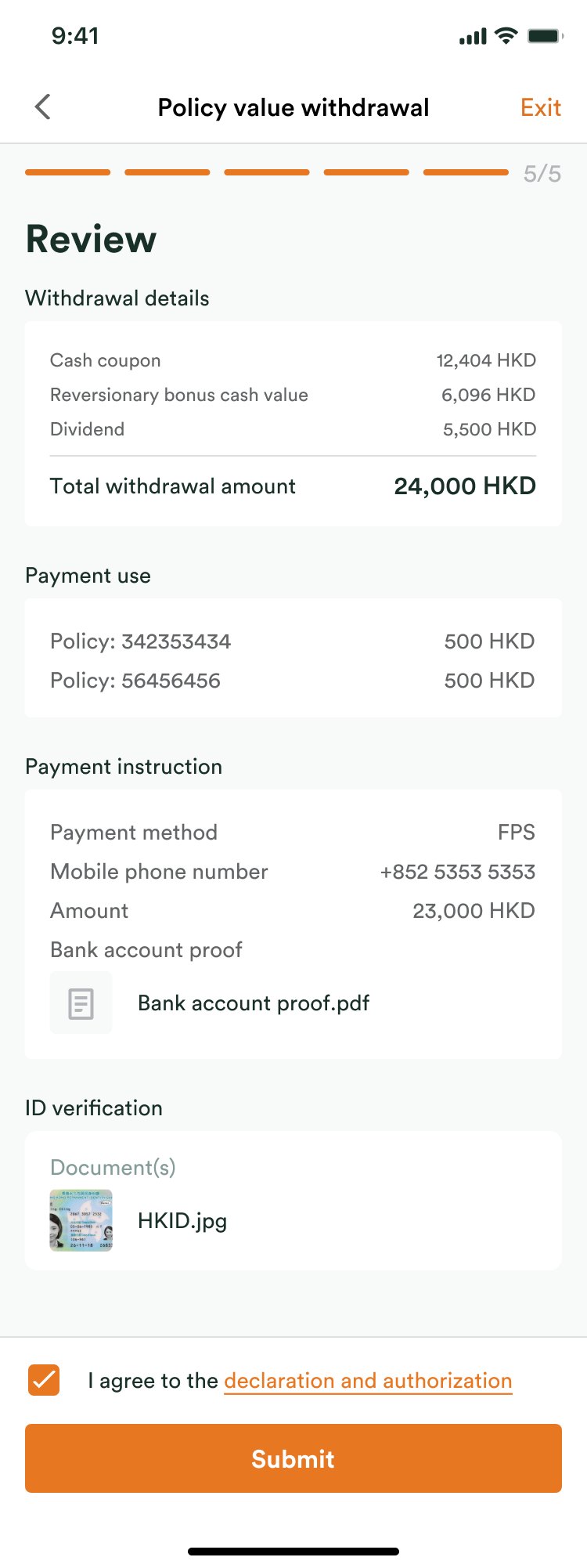 After
One review screen, with a single declaration to agree to.
Design process
Requirements first, then one flow for every product.
- Requirements: every line the business listed, marked against a screen: covered, needs a new screen, or a question back.
- Flow: product type decides one-off or regular, then values, purpose, payout method (FPS, local bank, cheque, overseas bank) and currency.
- Wireframes: one-off, regular and other products, then local and overseas bank transfers.
- Prototype for CX: three real scenarios, clickable end to end: HKD to a local bank, USD to a local bank in HKD or USD, AUD to an overseas bank.
Solution
Five steps, and the money is visible at every one.
Start from the policy
Every policy in the eWallet has its own Withdraw button.
Choose how to withdraw
One-off, regular, or a partial surrender, each saying which values it applies to.
See the maximum, enter the amount
Each value shows its maximum available above the field, and the total sits at the bottom, beside Next.
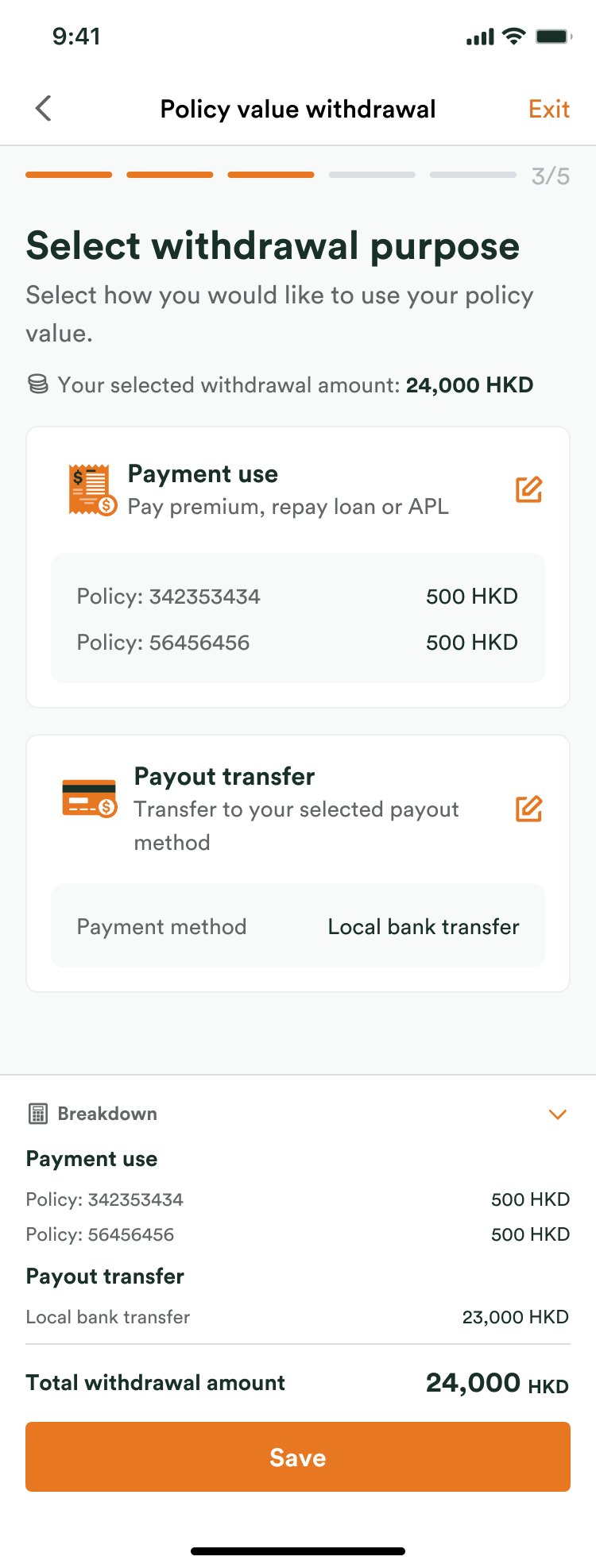
Split it by purpose
Payment use pays premiums, a loan or APL; Payout transfer sends the rest out. A breakdown shows where every dollar goes.
Pay out to a saved account
A previous account is one tap. A new one takes four fields, with the upload rules above the upload, and can become the default.
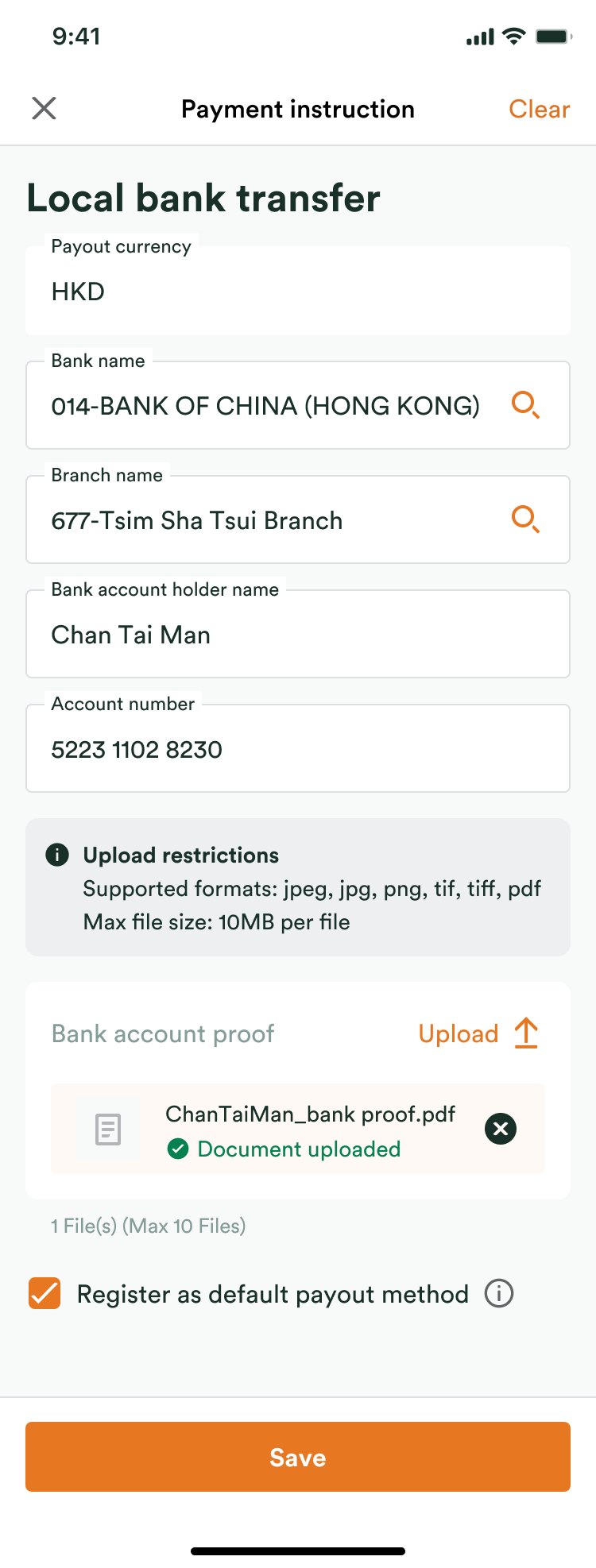
One review, one declaration
Withdrawal, payment use, payout and ID on one screen, with a single declaration to agree to.
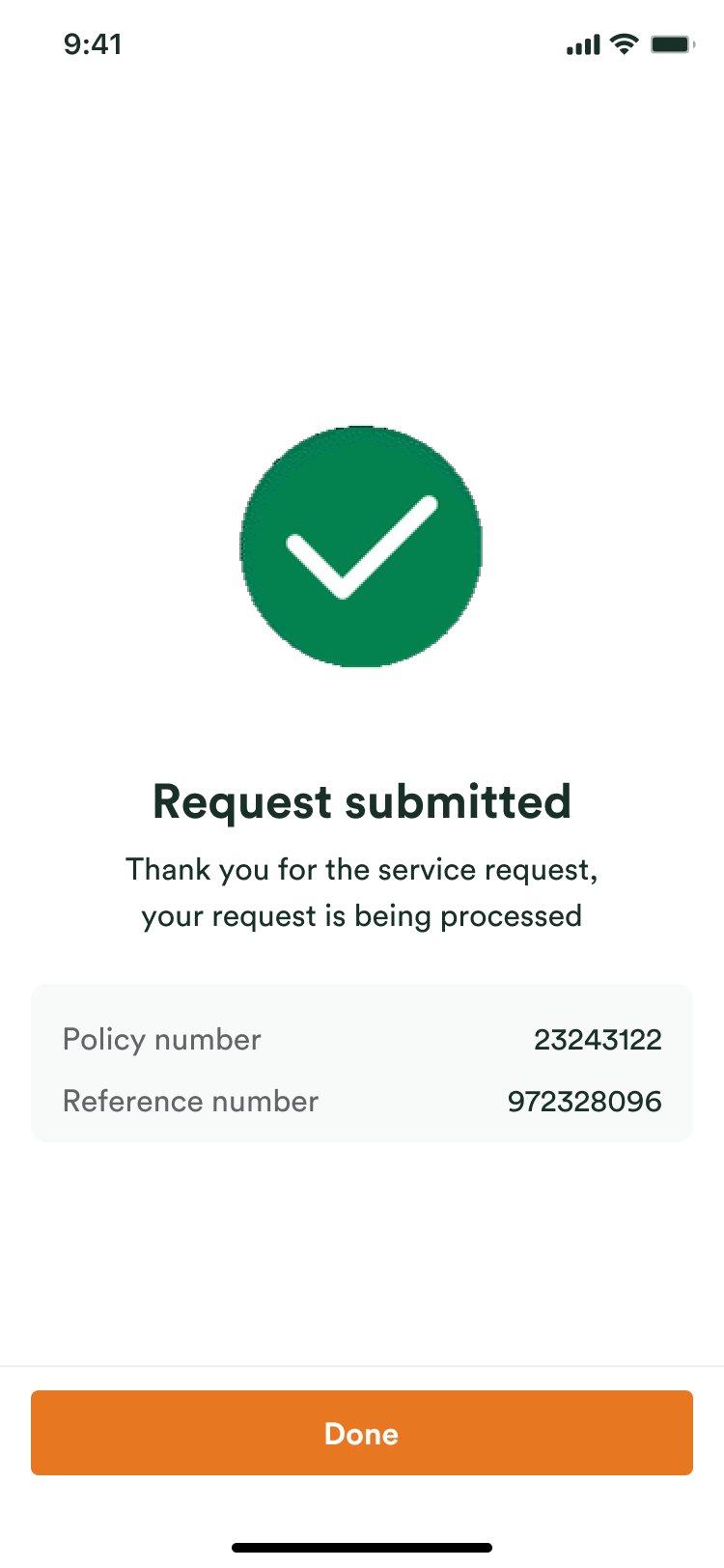
Submitted, with a reference
The policy number and a reference number, so the customer knows it went through.
Edge cases
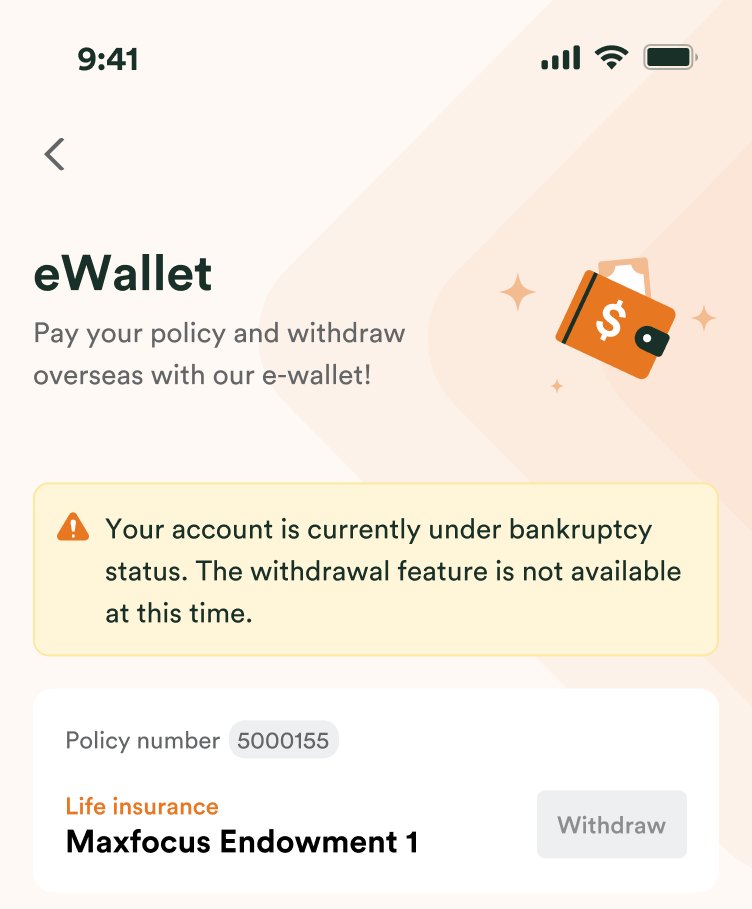
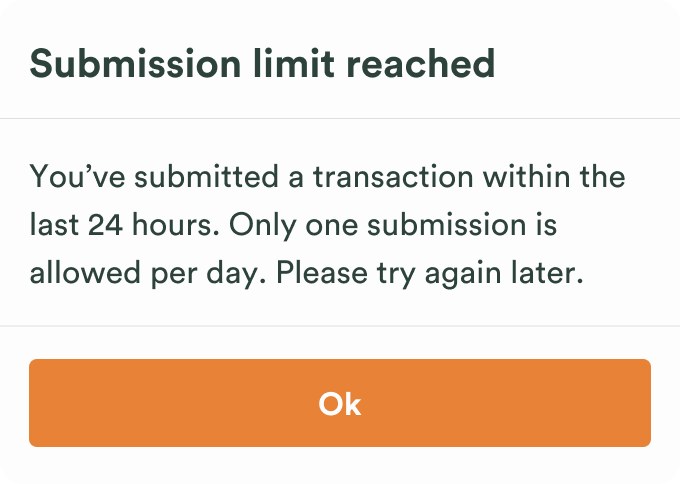
When a withdrawal can't happen, the screen says why.
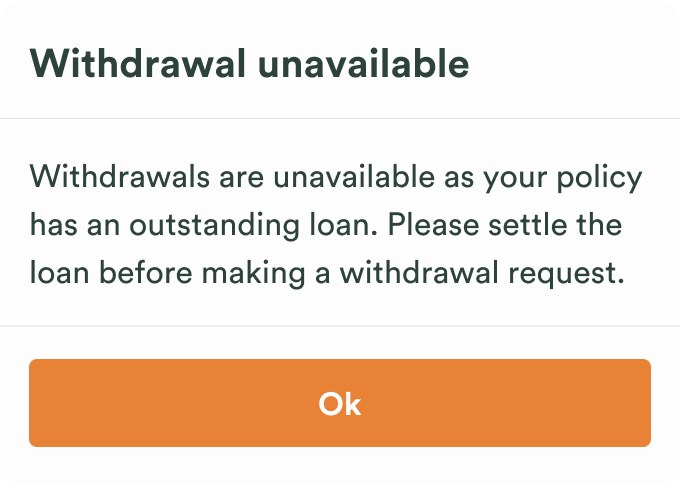
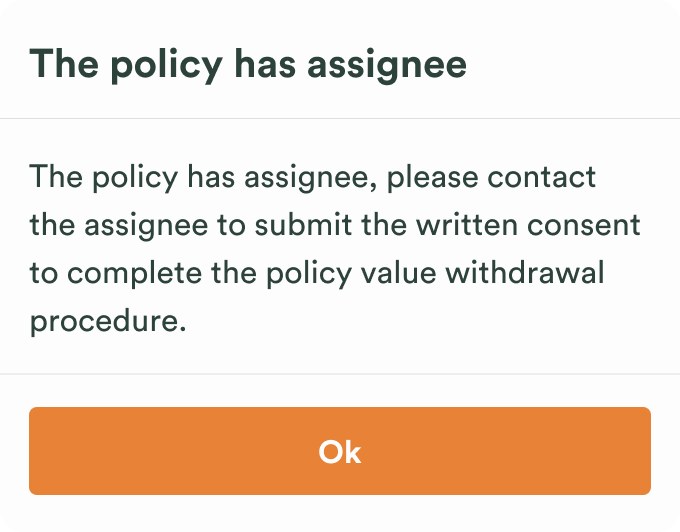
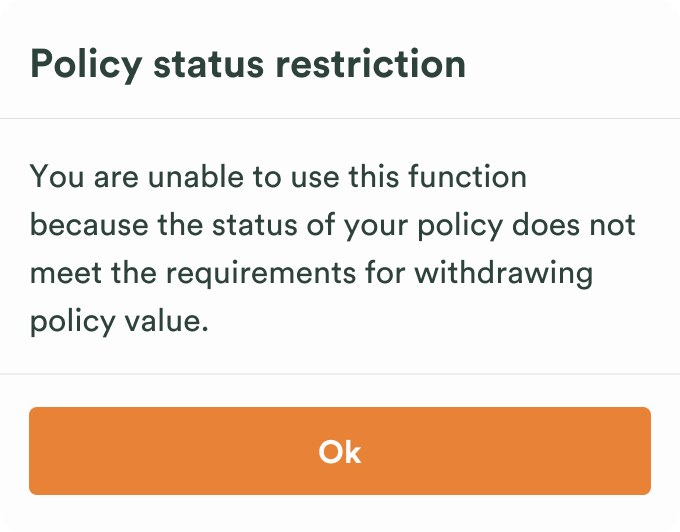
Each blocked case gets its own message, with what to do next where there is something to do.
Before the flow starts
-
Bankruptcy
-
Submission limit
-
Policy has an assignee
-
Policy status
-
Outstanding loan